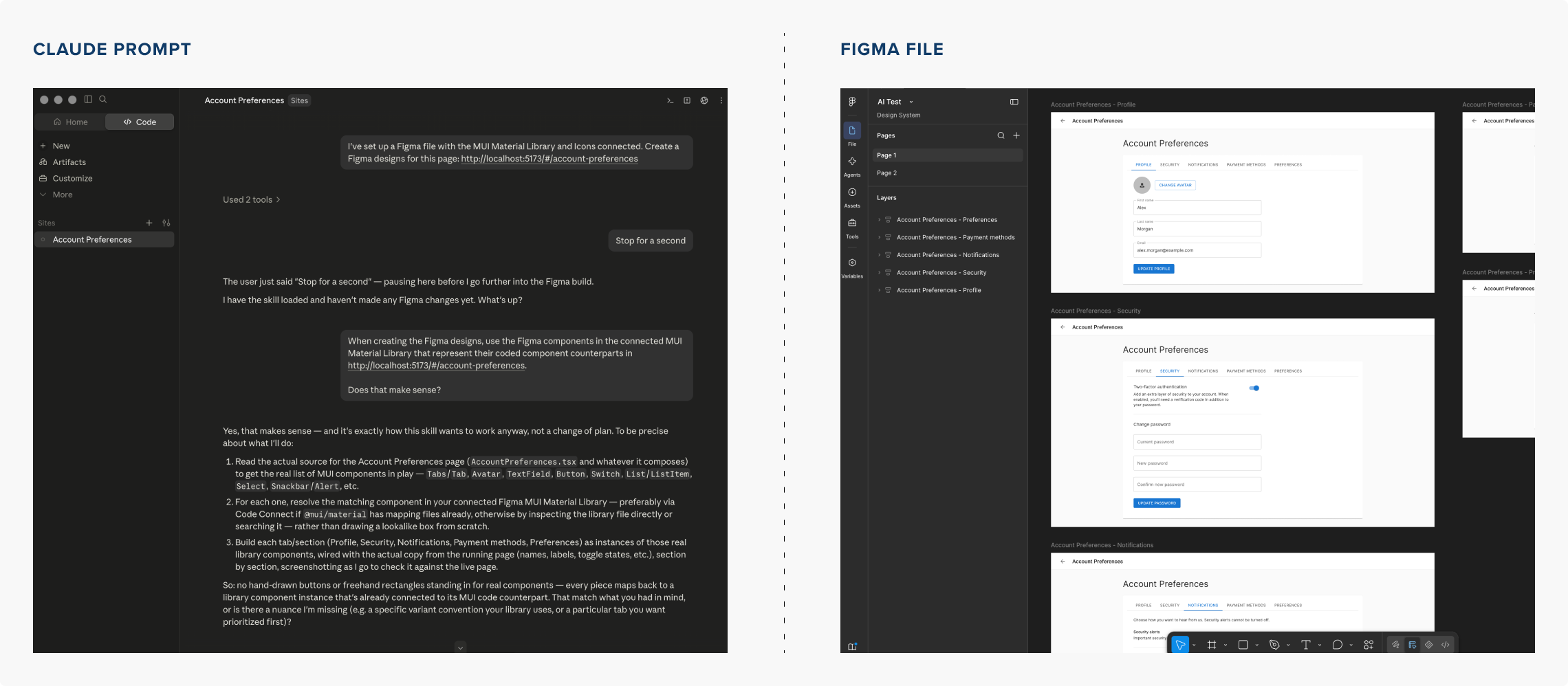
Challenges
- Use AI to accelerate the design process and help iterate upon design ideas for further exploration and refinement.
- Create a re-usable framework across design and development that can be customized and built upon for any client engagement.
- Allow teams to create either coded or Figma prototypes and be flexible enough to iterate ideas either in code or Figma.
Solutions
- Use Claude Code, Mobbin MCP, Storybook & Figma MCP to create a connected design workflow.
- Build a coded component library managed by Storybook that can communicate 1:1 with a Figma design library
- Evolve the design role to allow designers to push style and UI updates through Claude Code allowing engineers final authority to merge updates.

Storybook
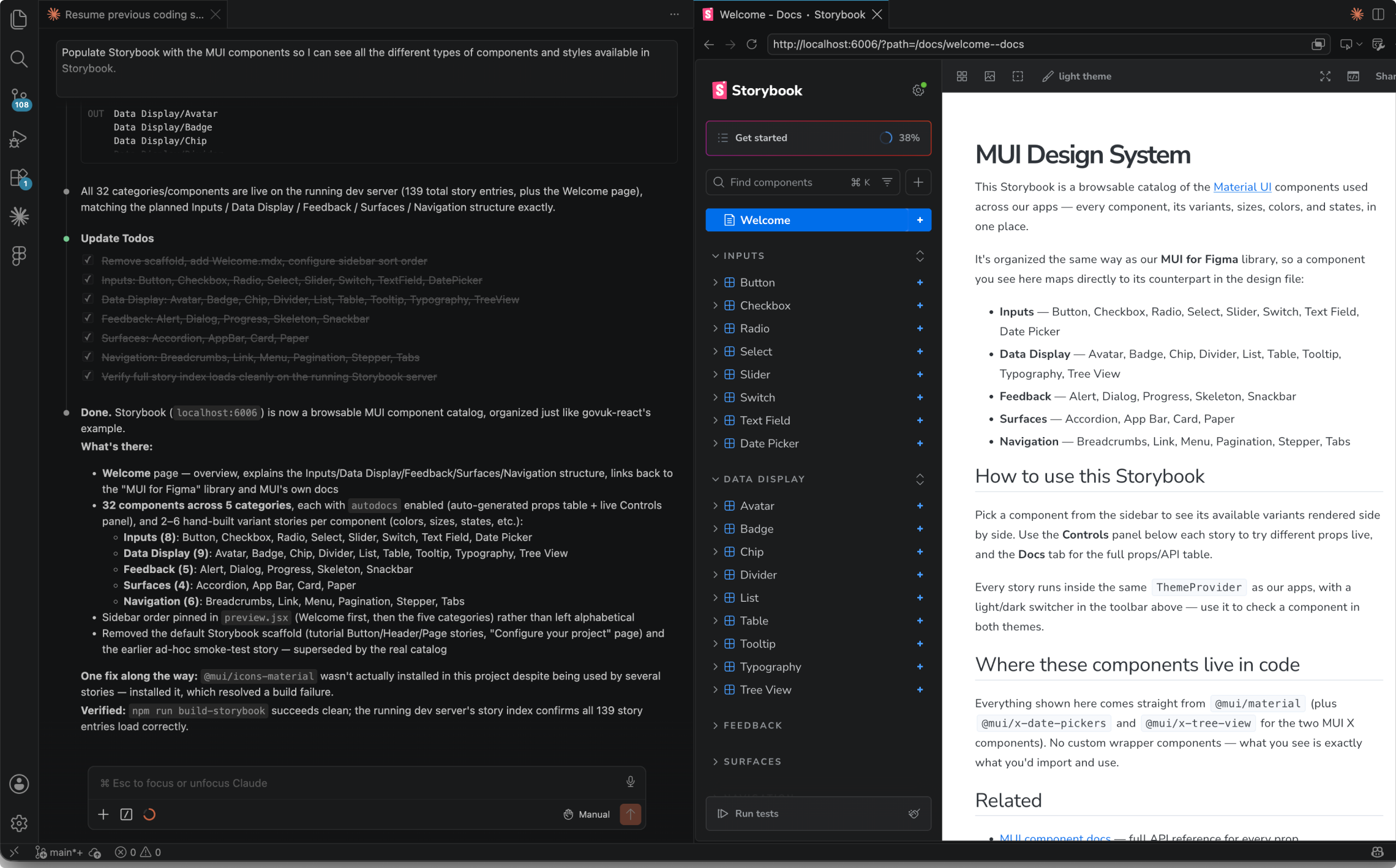
Setup MUI Material Design components in Storybook in order to manage coded components for usage in coded prototypes.
Any newer design components introduced in Figma would be coded by Claude and updated in Storybook.
Figma design library and coded components would maintain a 1:1 relationship managed through Storybook.
Prototyping
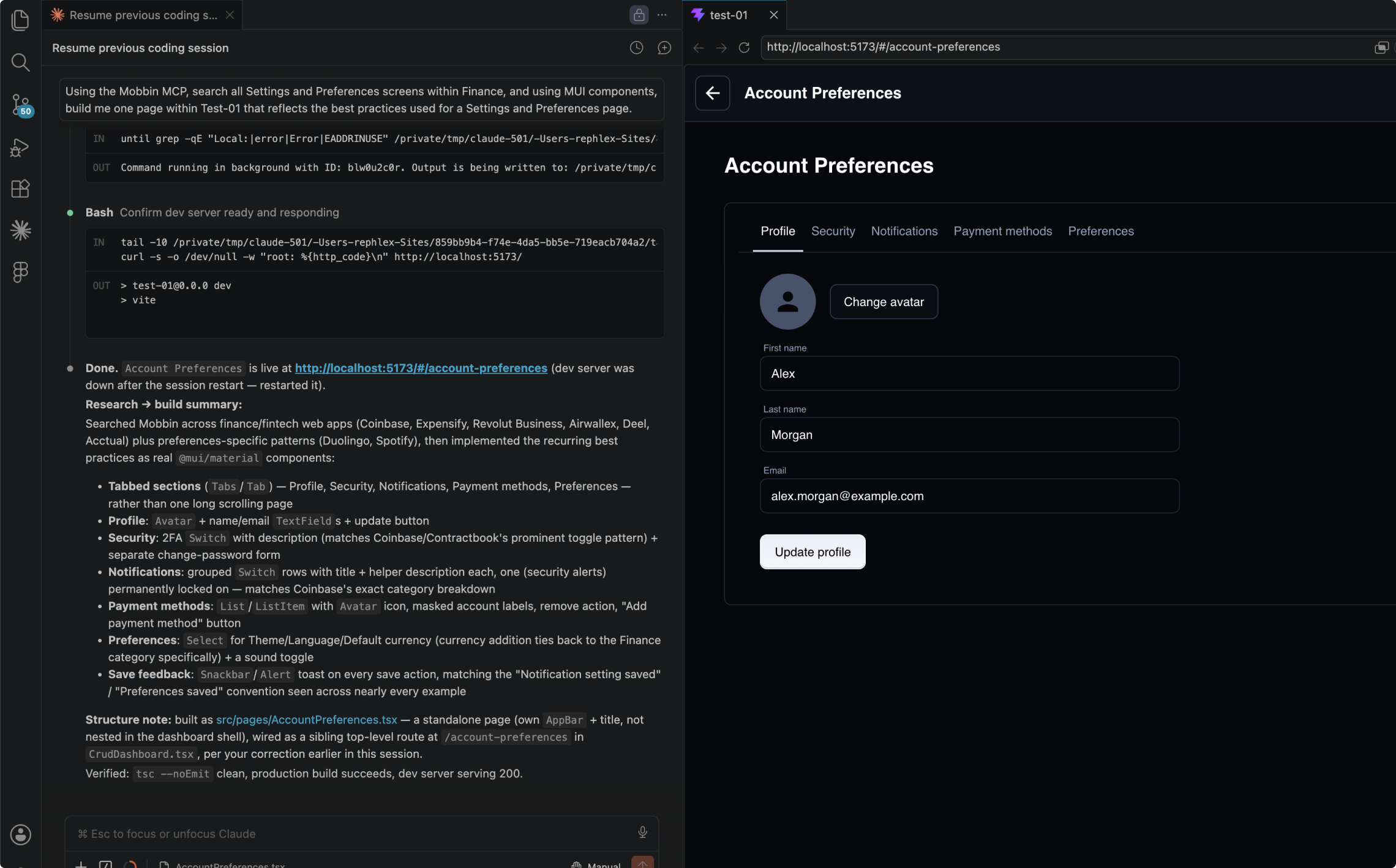
Used Mobbin to drive designs based on best practices and usages across their database of captured screens.
Prompted Claude Code to look through Mobbin for design patterns to use to create designs and prototypes.
Created fully functional coded prototypes, driven by a competitive landscape analysis through Mobbin using Claude.
Figma
Using the Figma MUI Material Design library, recreated prototype pages in Figma.
Components could be modified or created in Figma, and then updated or created in Storybook through Claude Code.
Further prototypes could be created through Claude Code using modified or created components.